> ## Documentation Index
> Fetch the complete documentation index at: https://moregyms.mintlify.site/llms.txt
> Use this file to discover all available pages before exploring further.
# Schedule
> Add and maintain your class schedule
## Add a class
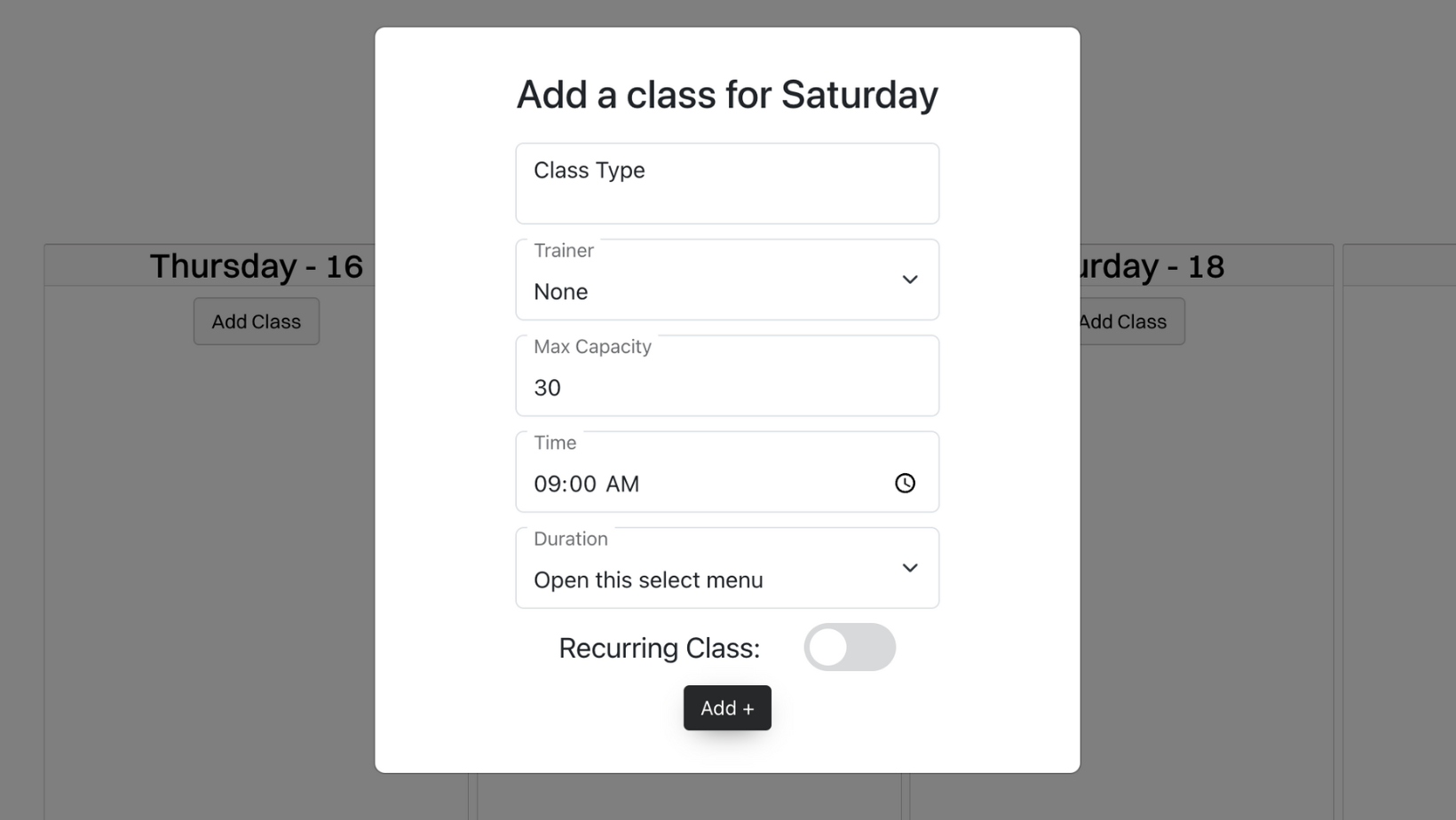 To add a class go to the specific day that you want the class to take place. Once you found the date click the `Add class` button. After you click `Add class` you will see a pop up with five feilds:
Name of your class.
Example: `Weightlifting for beginners`
Trainer who is coaching the class.
Example: `Arnold Schwarzenegger`
The maximum amount of people allowed in the class.
Example: `20`
The time the class starts.
Example: `10:00 am`
How long the class lasts.
Example: `1 hour`
The days the class occurs.
Example: `Monday, Tuesday, Friday`
## Remove a class
To add a class go to the specific day that you want the class to take place. Once you found the date click the `Add class` button. After you click `Add class` you will see a pop up with five feilds:
Name of your class.
Example: `Weightlifting for beginners`
Trainer who is coaching the class.
Example: `Arnold Schwarzenegger`
The maximum amount of people allowed in the class.
Example: `20`
The time the class starts.
Example: `10:00 am`
How long the class lasts.
Example: `1 hour`
The days the class occurs.
Example: `Monday, Tuesday, Friday`
## Remove a class
 ### Single Class
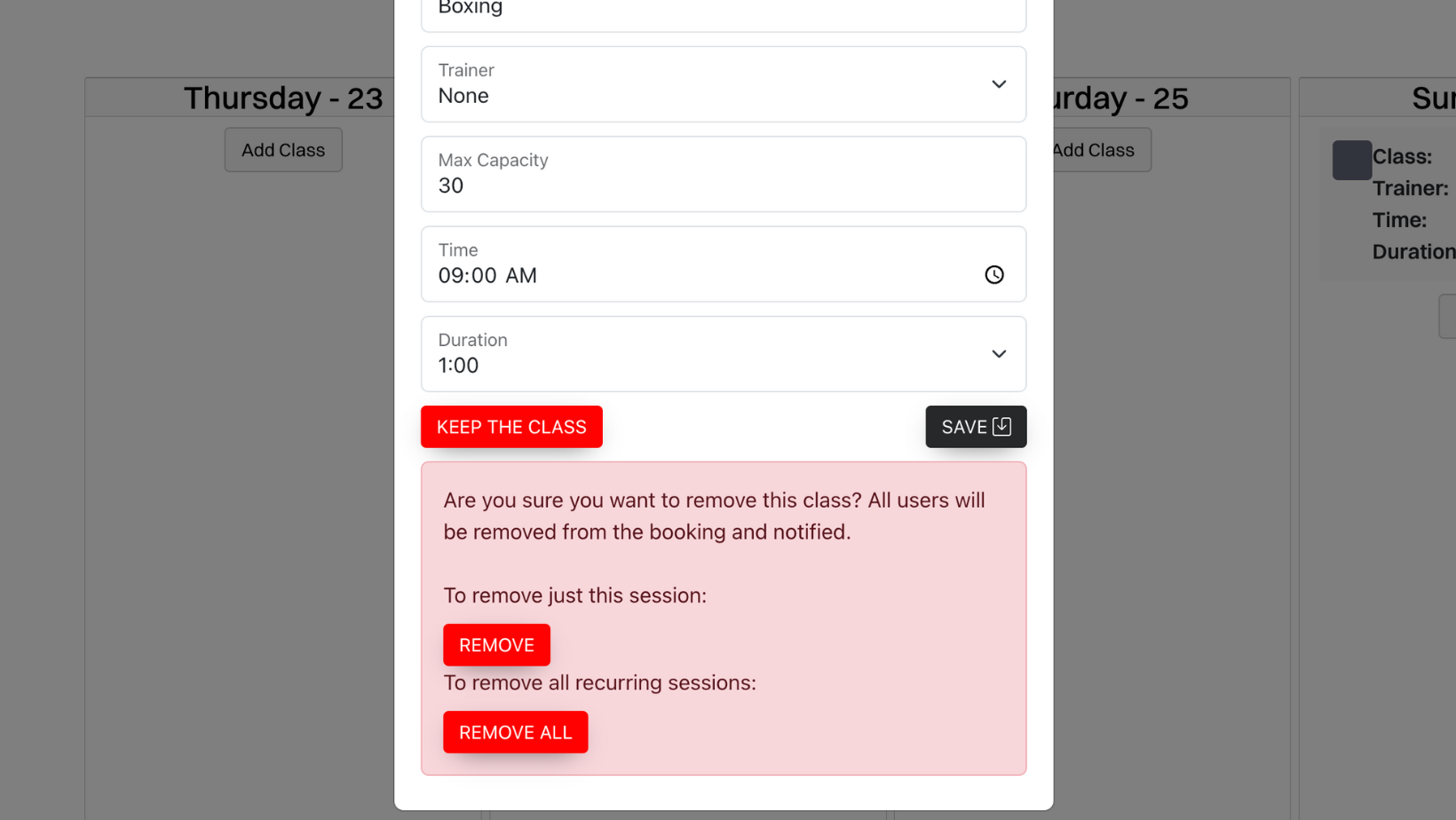
To remove a single class, you need to click the red `Remove` button. After you click the `Remove` button, the class will not show up for that specific date.
### Reccuring Class
To remove all recurring classes, you need to click the red `Remove All` button. After you click the `Remove All` button, the class will be deleted.
### Single Class
To remove a single class, you need to click the red `Remove` button. After you click the `Remove` button, the class will not show up for that specific date.
### Reccuring Class
To remove all recurring classes, you need to click the red `Remove All` button. After you click the `Remove All` button, the class will be deleted.